
Percent Error Formula: How to Calculate Percent Error
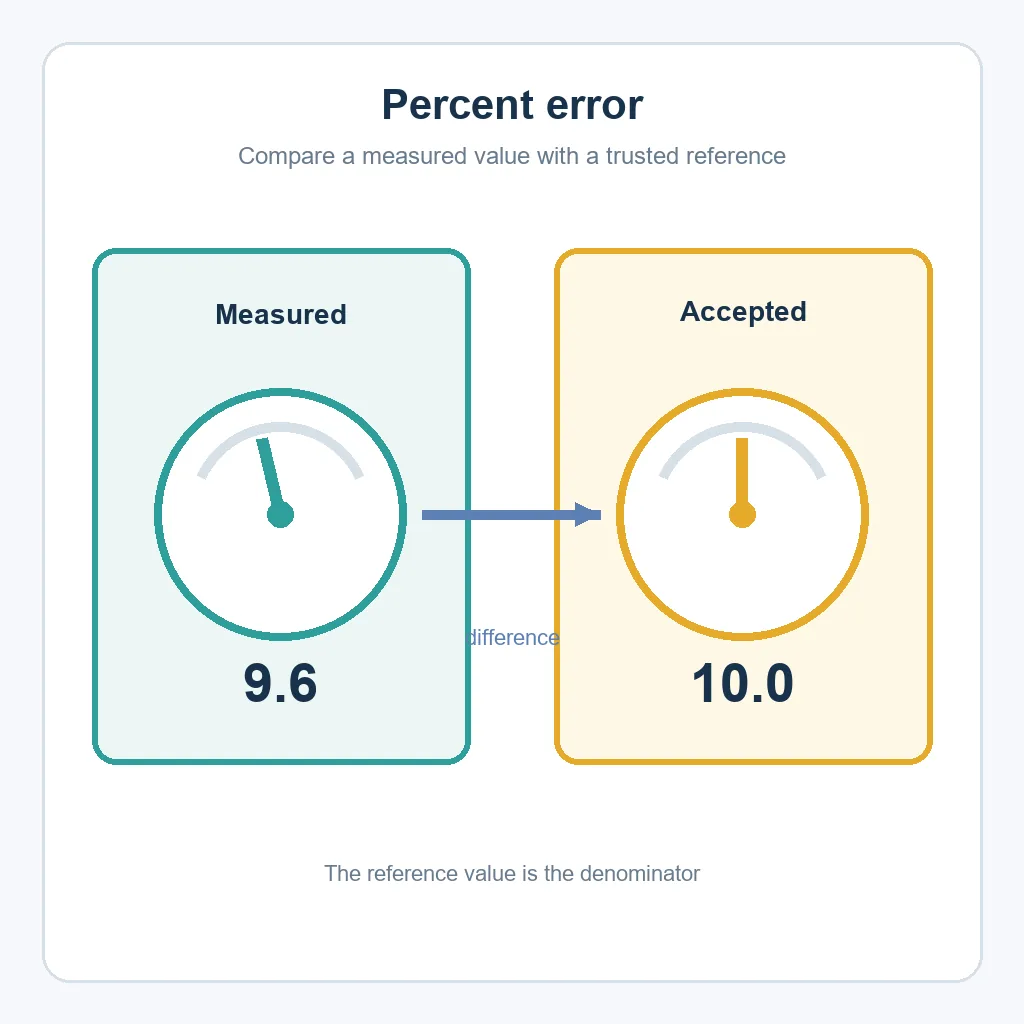
The percent error formula compares a measured or experimental value with an accepted reference value. Subtract the reference from the measured value, take the absolute difference, divide by the absolute reference value, and multiply by 100. For example, a measurement of 9.6 against an accepted value of 10.0 has a percent error of 4%.
Percent error formula at a glance
Percent error = |Measured value − Accepted value| ÷ |Accepted value| × 100. With a measured value of 9.6 and an accepted value of 10.0, the absolute difference is 0.4. Then 0.4 ÷ 10.0 × 100 = 4%.
The accepted value may also be called the true, theoretical, reference, or known value. The measured value is the result produced by an experiment, instrument, estimate, or calculation. The formula describes the size of the error; it does not by itself explain why the error occurred.
What percent error measures
Percent error is a relative measure of how far a result is from a value you trust. It is common in science labs, quality checks, calibration, engineering, classroom experiments, and any situation where a known or accepted value is available. Reporting a percentage makes the size of the discrepancy easier to compare across measurements with different units or scales.
The numerator is the difference between the two values. The denominator is the accepted value because the question is usually, “How large was the error compared with the reference?” A 0.4-unit gap is small when the reference is 100, but large when the reference is 1. The denominator supplies that context.
Percent error is not a replacement for the original values. A good report gives the measured value, accepted value, absolute difference, and percentage together. That lets another reader check the arithmetic and see whether the chosen reference, units, and rounding make sense.
How to calculate percent error step by step
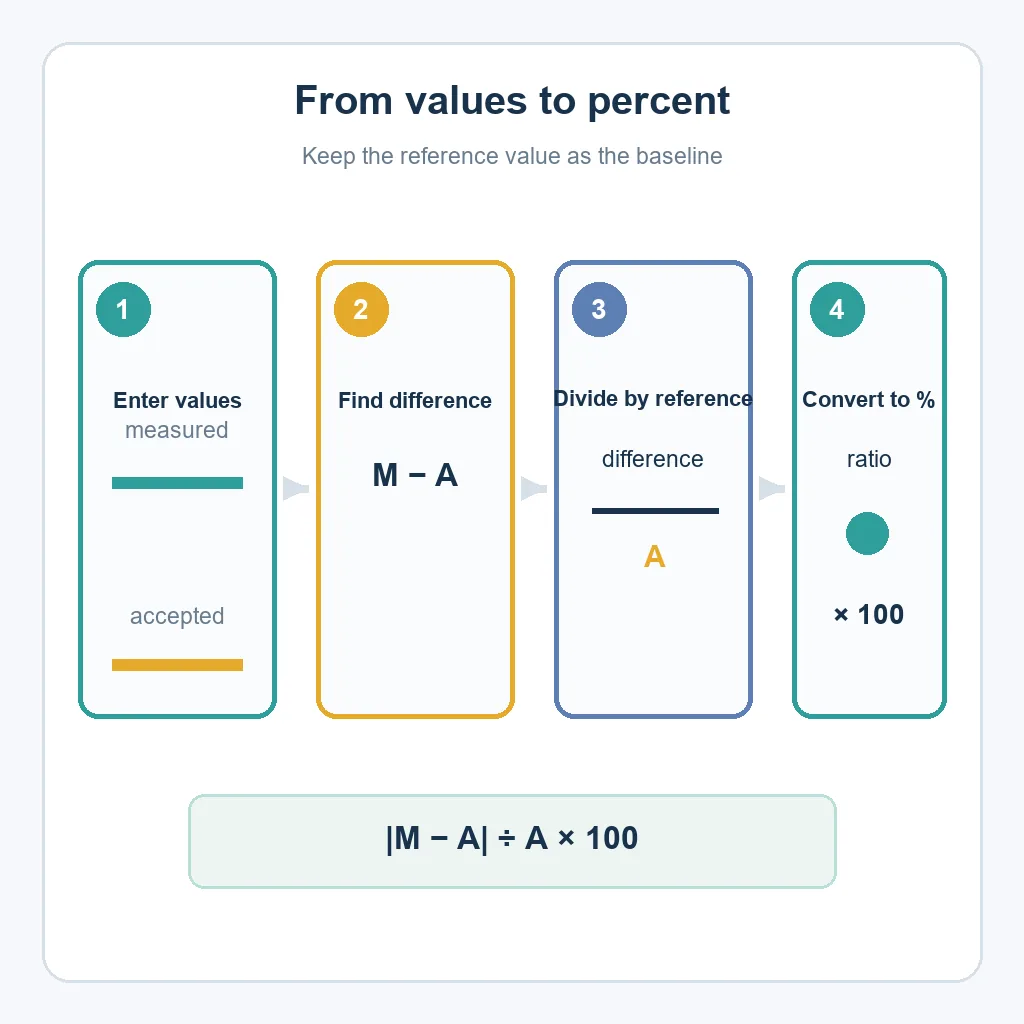
Use the following order so the reference value stays in the denominator. Keep extra digits during the calculation and round only the final displayed percentage.
- Identify the pair: label which number is measured and which number is accepted or theoretical.
- Find the absolute difference: subtract the accepted value from the measured value and take the absolute value.
- Scale by the reference: divide the absolute difference by the absolute accepted value.
- Convert to percent: multiply by 100, or format the decimal result as a percentage in a spreadsheet.
For measured = 9.6 and accepted = 10.0, calculate |9.6 − 10.0| = 0.4, then 0.4 ÷ 10.0 = 0.04. Multiplying by 100 gives 4%. The absolute-value bars make the standard percent error non-negative even when the measurement is below the reference.
Worked percent error examples
These examples use the same equation but different scales. The final sentence should include the units and clarify whether the reported value is absolute percent error.
| Measured | Accepted | Absolute difference | Percent error | Interpretation |
|---|---|---|---|---|
| 9.6 °C | 10.0 °C | 0.4 °C | 4% | The reading is 4% away from the reference. |
| 101.5 mL | 100.0 mL | 1.5 mL | 1.5% | The measured volume is 1.5% above the reference. |
| 3.82 g | 4.00 g | 0.18 g | 4.5% | The measurement is 4.5% away from the accepted mass. |
For 101.5 mL compared with 100.0 mL, use |101.5 − 100.0| ÷ 100.0 × 100 = 1.5%. Because the measured value is higher, the signed version would be +1.5%. The absolute version is still 1.5% and is the form most often requested by introductory lab instructions.
For 3.82 g versus 4.00 g, the difference is 0.18 g. Dividing by 4.00 g gives 0.045, so the percent error is 4.5%. The units cancel in the division as long as both values use the same unit.
Percent error vs. percent difference and percent change
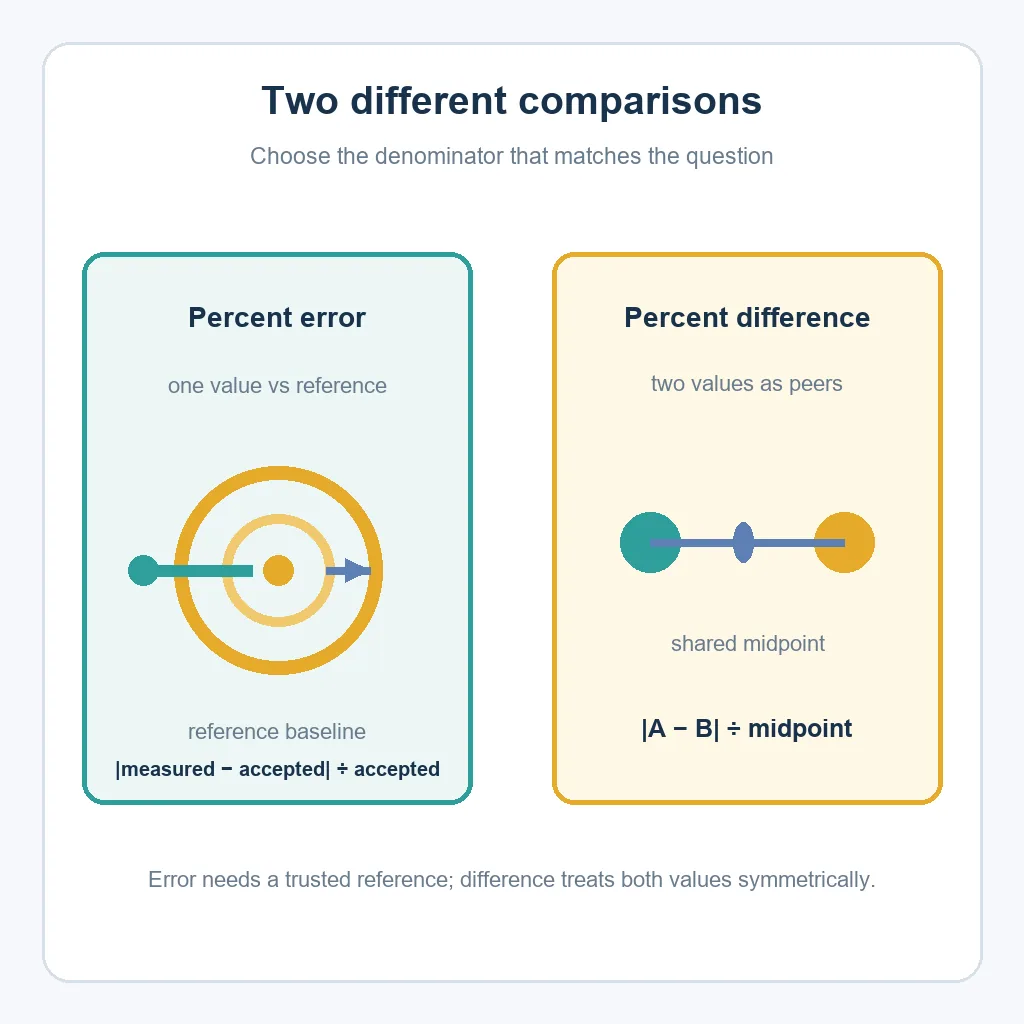
These terms all describe numerical comparisons, but they answer different questions. Percent error needs one accepted reference. Percent difference treats two values as peers. Percent change usually compares a new value with an original starting value.
| Measure | Reference point | Typical formula | Example use |
|---|---|---|---|
| Percent error | Accepted or true value | |Measured − Accepted| ÷ |Accepted| × 100 | Lab result vs. a known value |
| Percent difference | Neither value is the fixed truth | |A − B| ÷ midpoint × 100 | Two independent measurements |
| Percent change | Original or starting value | (New − Original) ÷ Original × 100 | Revenue or traffic over time |
If the comparison is about growth from an original value, use the percentage increase formula guide when the result is positive. If neither value is a trusted reference, use the percentage difference formula. For consecutive monthly data, the month-over-month calculation guide explains the time-series context.
Signed error shows the direction
Absolute percent error tells you the size of the discrepancy, not whether the measurement was high or low. To keep direction, use a signed error such as (Measured − Accepted) ÷ Accepted × 100. A positive result means the measurement is above the reference; a negative result means it is below.
For 9.6 compared with 10.0, the signed result is (9.6 − 10.0) ÷ 10.0 × 100 = −4%. The absolute percent error is 4%. Choose the version required by the report, and label it clearly so a negative sign is not mistaken for a calculation failure.
Percent error in Excel or Google Sheets
Place the measured value in cell B2 and the accepted value in cell C2. Enter the following formula in the result cell, then format it as a percentage:
=ABS(B2-C2)/ABS(C2)With B2 = 9.6 and C2 = 10.0, the unformatted result is 0.04 and the percentage format displays 4%. Do not multiply by 100 if the spreadsheet cell is already formatted as a percentage.
- Use a separate column for the absolute difference:
=ABS(B2-C2). - Use a zero-safe result when the accepted value might be zero:
=IF(C2=0,"N/A",ABS(B2-C2)/ABS(C2)). - For signed error, use
=(B2-C2)/C2and document the sign convention. - Keep the original precision in the input cells and round only the displayed result.
These formulas work in both Excel and Google Sheets. If your accepted values are stored as text, convert them to numbers first; otherwise the formula may return an error or an unexpected result.
Rounding, zero references, and other limits
If the accepted value is zero, the standard percent error formula divides by zero and has no finite percentage. Report the absolute difference, write “not defined” or “N/A,” and explain that the reference has no non-zero baseline. Do not report 0% or 100% just to fill the field.
Rounding can change the result. A displayed measurement of 9.6 may represent a value between 9.55 and 9.65 depending on the instrument and rounding rule. When the error is close to a pass/fail threshold, use the unrounded value and state the precision used.
Also check that the values describe the same quantity, unit, condition, and time. A mathematically correct percent error can still be misleading if the accepted value comes from a different temperature, batch, calibration state, or measurement definition.
A quick calculation checklist
- Mark the measured value and accepted value before subtracting.
- Use the accepted value as the denominator.
- Use absolute values for standard percent error.
- Keep units consistent and delay rounding.
- State whether the result is absolute or signed.
FAQ: percent error formula
What is the percent error formula?
Percent error is |Measured − Accepted| ÷ |Accepted| × 100. The accepted value is the reference baseline, and the absolute value makes the standard result non-negative.
How do I calculate percent error by hand?
Subtract the accepted value from the measured value, take the absolute difference, divide by the accepted value, and multiply by 100. For 9.6 and 10.0, the result is 4%.
Can percent error be negative?
Standard absolute percent error is not negative. A signed error can be negative when the measured value is below the accepted value; label the sign convention and report the absolute size separately when useful.
What is the difference between percent error and percent difference?
Percent error compares one measurement with a trusted accepted value. Percent difference compares two peer values without treating either one as the fixed truth, so it uses their midpoint as the baseline.
What if the accepted value is zero?
The usual percent error is undefined because the formula divides by zero. Report the absolute difference and mark the percentage as N/A or not defined instead of inventing a rate.
How do I calculate percent error in Excel?
Put the measured value in B2 and accepted value in C2, enter =ABS(B2-C2)/ABS(C2), and format the result as a percentage. Add an IF check if C2 can be zero.
Summary
The percent error formula is |Measured − Accepted| ÷ |Accepted| × 100. It answers how far a result is from a trusted reference, while signed error adds direction. Keep the values, units, precision, and reference definition visible; use percent difference or percent change when the comparison has a different purpose.